3D Refrigerated Van Configurator: Design Your Fridge Van Before You Buy
What is a 3D refrigerated van configurator?
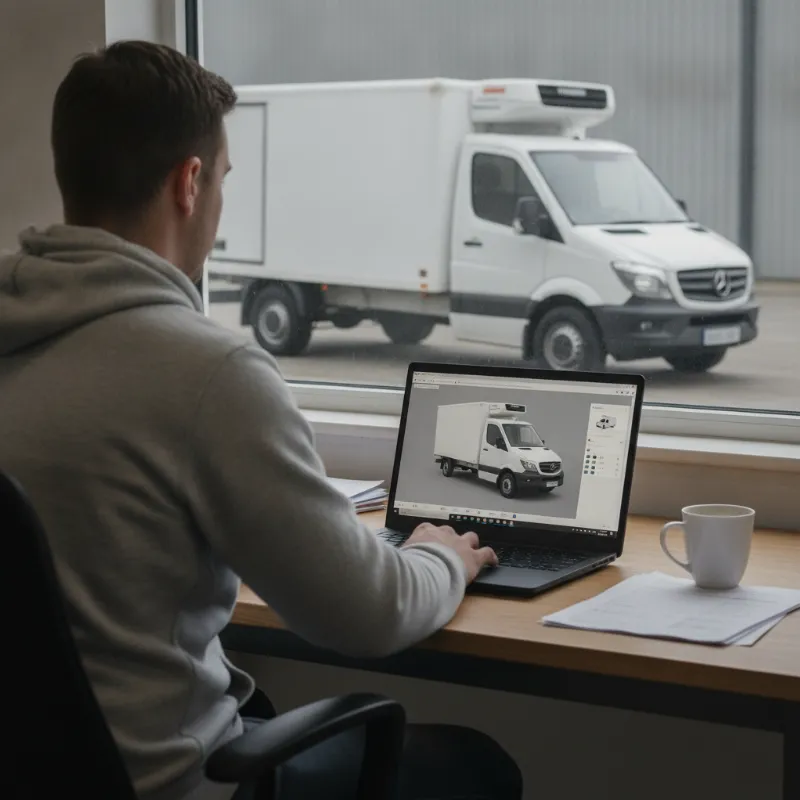
A 3D refrigerated van configurator is an interactive online tool that lets you build a virtual fridge van on screen before any metal is cut or any chiller unit is fitted. Instead of relying on a flat spec sheet or a few stock photos, you rotate the van in three dimensions, open the doors, look inside the load area and see exactly how each option changes the finished vehicle. It sits somewhere between a car configurator and a professional CAD tool, but it is built specifically around temperature-controlled conversions.
The idea is simple: refrigerated vans are highly specialised, and small decisions early on have big consequences later. A 3D configurator brings those decisions forward, so you can see the impact of a taller roof, a heavier chiller unit or a bulkhead partition long before you commit to a build slot. For buyers who are new to fridge vans, it is also a genuinely useful learning tool — you get to explore the anatomy of a converted vehicle at your own pace.
Why spec a fridge van in 3D before you buy
Buying a refrigerated van is a significant investment, and unlike a standard panel van it is difficult to change your mind after conversion. A 3D preview stage gives you time to think, compare and stress-test your choices while everything is still just pixels on a screen.
See the load area to scale
One of the biggest frustrations for first-time buyers is realising the internal load space is smaller than expected once insulation, flooring and a chiller evaporator are all fitted. A good 3D configurator shows the true, usable internal dimensions — not the empty shell figures from the manufacturer's brochure. You can drop in reference objects such as Euro pallets, standard bakery trays or medical cool boxes and instantly see whether your typical load will actually fit.
Visualise insulation, chiller units and partitions
Insulation thickness, the position of the evaporator, and any internal bulkheads all eat into your cubic capacity. In 3D you can see where the chiller unit sits on the roof or bulkhead, how much headroom it consumes, and how a dual-compartment partition splits the load bay. This is much easier to grasp visually than reading millimetre measurements on a data sheet.
Avoid costly conversion mistakes
Ordering the wrong wheelbase, forgetting to specify a standby electric hook-up, or choosing a chiller that is undersized for your temperature range are expensive errors to unwind. Sketching the van in 3D — and being prompted by the tool when your choices do not match up — helps you catch these issues before you sign an order form.
What you can configure in 3D
Modern configurators cover the full journey from base vehicle to finished, liveried fridge van. The exact options vary between platforms, but most cover four broad areas.
Chassis, wheelbase and roof height
You start by picking the base vehicle — typically a choice of small, medium or large panel vans, plus Luton box conversions for higher volumes. From there you select wheelbase length and roof height. The 3D model updates instantly, so you can compare a medium-wheelbase medium-roof van against a long-wheelbase high-roof version side by side and judge which suits your loads and your parking situation.
Fridge or freezer temperature range
Next comes the cooling specification. You choose whether you need a chill van (typically down to around 0°C), a freezer van (down to around -25°C), or a dual-zone setup. The configurator maps that against a suitable refrigeration unit and shows you the physical size of that unit on the vehicle. Some tools also flag if your temperature target implies thicker insulation and therefore less internal space.
Shelving, rails, hooks and dual-compartment layouts
This is where the tool really earns its place. You can add shelving at set heights, meat rails, hanging hooks, tote-box runners or a moveable bulkhead to create two independently controlled compartments. Being able to place and reposition these fittings in 3D takes the guesswork out of workflow design — you can plan exactly where drivers will reach for the next delivery.
Livery, ply-lining and floor finishes
Finally, you can dress the van. Wrap colours, sign-written livery mockups, non-slip hygienic flooring, wet-wall linings and food-safe wall finishes can all be previewed. This is useful both for your own decision-making and for showing directors, franchisees or investors what the finished fleet vehicle will look like.
How to use a 3D configurator step by step
Most configurators follow a similar flow. You begin by entering some basic information about your intended use — the product you carry, the temperature range you need, and roughly how much you load and unload each day. From there you pick a base van, then work through cooling, interior fit-out, and finally livery. At each stage the 3D model updates and any relevant warnings appear, such as payload reductions when you upgrade to a heavier chiller.
Once you are happy with the configuration, you can usually save or share it. That means you can send the exact spec to colleagues for sign-off, or bring it into a conversation with a dealer so both sides are looking at the same virtual van. It is far more precise than trying to describe your requirements over the phone, and it removes a lot of the ambiguity that leads to rework later on.
Common industries using 3D fridge van planning
Almost any business that moves temperature-sensitive goods can benefit from planning in 3D, but a few sectors get particularly strong value from it.
Food delivery and catering
Restaurants, dark kitchens, caterers and meal-kit companies use configurators to design vans around specific tray sizes, gastronorm containers or insulated delivery bags. Being able to visualise shelving spacing against a real tray dimension prevents the classic mistake of ordering shelves that are half a centimetre too tight.
Pharmaceutical and medical transport
Pharmacies, laboratories and clinical courier firms typically need tight temperature control, data logging and often dual compartments for different product classes. A 3D tool helps plan where to mount data loggers, alarms and cool-box securing points, and confirms that the chosen chiller will hold the required range with confidence.
Floristry and fresh produce
Florists, market gardeners and fresh produce suppliers usually need gentler chill temperatures and lots of vertical space for buckets or crates. A configurator lets them experiment with tall, narrow shelving versus open floor space, and see how a high roof changes the practical working height inside the van.
From 3D configuration to a real van on your driveway
A configurator is a planning tool, not a purchase in itself — but the spec you build on screen becomes the blueprint for the real vehicle. Once you are happy, you share the saved configuration with a refrigerated van specialist, who will confirm availability of the base chassis, refine any technical details and produce a formal quotation. Any options that need a manual sanity check — such as unusually heavy payloads or bespoke shelving — are picked up at this stage.
From there the conversion is scheduled and built to match your 3D design, and the finished van is delivered ready to work. Because you have already seen the vehicle virtually, there are far fewer surprises on handover day. The van that turns up on your driveway should look and feel very close to the one you designed on screen — right down to the shelf heights and the livery on the side.
Ready to see what a configured fridge van looks like in the metal? Browse our refrigerated vans in stock to compare real conversions before you build your own.
FAQs about 3D refrigerated van configurators
Below are some of the questions buyers most commonly ask when they first start using a 3D fridge van configurator.
FAQs
How can a 3D refrigerated van configurator help me design and specify the right fridge van before I buy?
A 3D configurator lets you build your fridge van virtually — choosing the base vehicle, wheelbase, roof height, temperature range, refrigeration unit, shelving, partitions and livery — and see the results to scale in three dimensions. That means you can check the real usable load space after insulation and chiller fitment, test whether your typical loads will fit, spot conflicts between options, and compare configurations side by side. By the time you place an order, you have already stress-tested the spec, which dramatically reduces the risk of expensive conversion mistakes.
Is a 3D configurator accurate enough to rely on for load dimensions?
For planning purposes, yes. Reputable configurators use manufacturer chassis data and real conversion measurements, including insulation thickness and the space taken up by the chiller evaporator, so the internal dimensions you see are close to the finished vehicle. That said, final millimetre-accurate figures should always be confirmed with the converter before you commit, especially if you are planning tight-fit shelving or pallet loading.
Do I need any technical knowledge to use one?
No. Configurators are designed for business owners and fleet buyers, not engineers. You are guided through the choices in plain English — what you carry, what temperature you need, how you want to load it — and the tool handles the technical side, such as matching chiller capacity to insulation. If you get stuck, you can save your progress and talk it through with a specialist.
Can I save my configuration and share it with a dealer?
Most configurators let you save a build, generate a summary or share a link. That is genuinely useful because it lets you get sign-off from colleagues, compare quotes on a like-for-like basis, and make sure the dealer or converter is quoting for exactly the vehicle you have in mind rather than a rough interpretation of a phone conversation.
Will the finished van look exactly like the 3D model?
It will be very close. The chassis, dimensions, refrigeration unit, shelving layout and livery will match what you configured. Minor cosmetic details — the exact shade of a wrap under daylight, or the finish on a fitting — can vary slightly, but the functional layout and load capacity should mirror the 3D preview you signed off.