How to Get the Radio Code for a Nissan Primastar Van
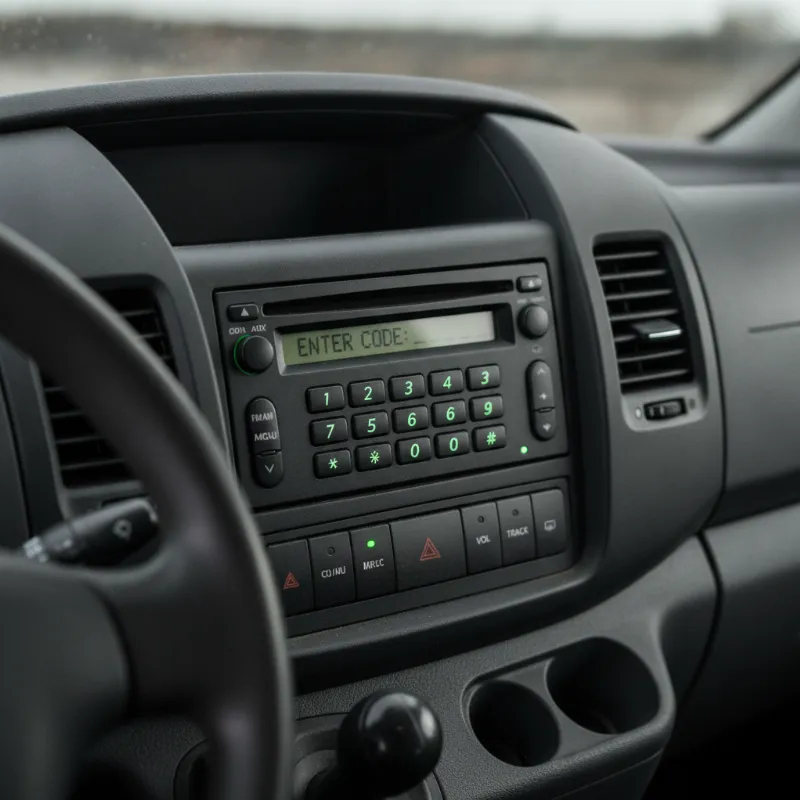
Why Your Nissan Primastar Radio Is Asking for a Code
If the display on your Nissan Primastar's radio is showing "CODE" instead of the usual station name or clock, it's because the head unit has security anti-theft protection built in. Whenever the radio loses power — even for a few seconds — it automatically locks itself and demands a four-digit PIN before it will play again. This is a deliberate feature designed to make the stereo worthless to a thief, but it can catch owners out at the worst possible moment.
The most common triggers are a flat or replaced battery, jump-starting the van, disconnecting the battery for maintenance, or an electrical fault that momentarily cut power to the radio. It's especially common on used Primastars bought at auction or privately, where the previous owner may never have written the code down. The good news is that every Primastar radio has a unique code tied to its serial number, and there are several legitimate ways to recover it.
What You Need Before You Start
Before you go anywhere or contact anyone, it pays to gather a couple of pieces of information. Having these to hand will save you a return trip to the dealer and make any online lookup much quicker and cheaper. There are two key details you'll almost always be asked for: the radio's own serial number and proof that the van is yours.
Finding Your Radio Serial Number
The radio serial number is a unique identifier printed on the side or top of the unit itself. On most Nissan Primastar vans (which share their radio units with the Vauxhall Vivaro and Renault Trafic of the same era), the serial starts with letters such as "VN", "CL" or "PP" followed by six or seven digits. To read it, you'll usually need to remove the head unit from the dashboard using a pair of radio release keys — thin U-shaped metal pins that slot into the small holes on either side of the fascia. Once the keys are pushed in fully, the radio slides out and you can read the sticker on the casing.
Some Primastar radios will also display the serial number on the screen if you hold down specific button combinations while switching the ignition on, but this varies by model year and trim, so physically pulling the unit is the most reliable method. Write the serial down carefully — a single wrong character will produce a code that won't work.
Locating Your VIN and Proof of Ownership
You'll also need the vehicle's VIN (Vehicle Identification Number), which is stamped on a plate at the base of the windscreen and often repeated on a sticker inside the driver's door shut. Dealers and reputable online services will ask for this to confirm the radio genuinely belongs to the van you're claiming.
Proof of ownership means your V5C logbook in your name, or a bill of sale if you've only just bought the vehicle. This step is there to stop stolen radios being unlocked and resold, so don't be surprised if you're asked to email or bring a photograph of the documents along with photo ID.
How to Get the Radio Code for Your Nissan Primastar Van
Once you've got your radio serial, VIN and ownership documents together, there are three realistic routes to recovering the code. Which one is best depends on how much you want to pay, how quickly you need the radio working again, and whether you have easy access to a Nissan dealer.
Option 1: Check the Owner's Handbook or Service Book
Always start here — it's free and takes two minutes. When the van was first supplied new, the selling dealer will often have written the radio code either on a small card in the owner's wallet, inside the front cover of the service book, or on a sticker in the handbook itself. Have a good look through every pocket of the document wallet, including any loose slips of paper.
It's also worth checking the glovebox, the underside of the sun visor, and any workshop invoices from previous services — some garages jot the code onto the paperwork after battery work. If you bought the van used, it's always worth phoning the previous owner too; many people simply forget to hand the code over during the sale.
Option 2: Contact a Nissan Main Dealer
If the code isn't in the paperwork, the next port of call is a Nissan main dealer. Ring ahead and ask for the parts or service department, explain that you need a radio code for a Primastar, and ask what they need you to bring. Typically they'll want the V5C, your photo ID and the radio serial number.
Most dealers can retrieve the code directly from Nissan's system while you wait, and some will do it for a small administration fee while others provide it free of charge for existing customers. This is the safest, most official route and there's no risk of getting a wrong code. The only downsides are opening hours and the fact that you may need to drop in in person rather than sort it over the phone.
Option 3: Online Radio Code Retrieval Services
There are numerous independent services online that will decode a Nissan Primastar radio from the serial number, usually for a modest fee and often within an hour. These can be a good option if your nearest dealer is a long way away or you need the code out of hours. Look for a service with clear reviews, a proper UK address and a money-back guarantee if the code doesn't work.
Be cautious of extremely cheap offers or sites that ask for no ownership details at all — a legitimate provider will always want some evidence the van is yours. Once you've paid, you'll normally receive the code by email along with instructions for your specific radio model.
How to Enter the Radio Code on a Nissan Primastar
Entering the code is straightforward once you have it, but the exact button layout depends on which factory head unit is fitted. On most Primastars with the standard Philips or Blaupunkt-built radio, you switch the ignition on so the display reads "CODE", then use preset buttons 1 to 4 to enter each digit of the four-digit code. Press button 1 repeatedly until the first digit is correct, button 2 for the second digit, and so on. Once all four digits show on screen, press and hold button 5 (or the "OK"/source button on some models) for a few seconds to confirm.
If the code is right, the radio will beep or briefly display "OK" and return to normal operation. It's a good idea to write the code down immediately and keep it somewhere safe — inside the service book is the traditional home — so you're not caught out the next time the battery is disconnected.
What to Do If the Radio Shows 'CODE ERROR' or Locks Out
Nissan Primastar radios only allow a limited number of incorrect attempts — usually three — before they lock themselves out completely. If you see "SAFE", "WAIT" or a countdown timer on the display, don't keep pressing buttons. The unit needs to be left switched on with the ignition in position II for a set period (often one hour, sometimes two) before it will accept another attempt. Turning the ignition off resets the timer, so leave it alone.
If you enter the code and get "CODE ERROR", double-check the serial number you supplied — one transposed digit is the most common cause. If you're certain the serial is right and the code still won't work, go back to whoever supplied it: a genuine dealer or reputable online service will re-check and correct any error. After too many failed attempts, some radios lock permanently and need to be sent away for a specialist reset, so it's worth being patient rather than guessing.
Other Common Nissan Primastar Owner Questions
Radio codes are just one of the little quirks of owning a Primastar, and it's often the small ownership issues — not the big mechanical ones — that catch people out. From battery health and jump-starting procedures to service intervals, cambelt changes and MOT preparation, there's a fair bit worth knowing to keep a Primastar reliable and on the road. If you're new to the model, spending half an hour reading through the handbook and any previous service history will pay dividends. And if you're planning to sell or part-exchange, remember to hand the radio code over with the keys — the next owner will thank you.
FAQs
How do I get and enter the radio code for my Nissan Primastar van?
Find your radio's serial number (usually on a sticker on the side of the unit, accessed by removing the head unit with radio release keys), then either check the owner's handbook and service book, contact a Nissan main dealer with your V5C and serial number, or use a reputable online radio decoding service. To enter the four-digit code, switch the ignition on so the display shows 'CODE', then use preset buttons 1–4 to set each digit and press and hold button 5 (or OK) to confirm.
Is there a free way to get a Nissan Primastar radio code?
Yes — always check the owner's wallet, service book, glovebox and sun visor first, as the code is often written on a card supplied when the van was new. Some Nissan dealers will also provide the code free of charge if you can show your V5C and radio serial number, particularly if you're an existing customer.
Why does my Primastar radio keep asking for the code after a new battery?
The radio has a built-in anti-theft feature that locks the unit whenever it loses power. Fitting or disconnecting the battery cuts that power, so the code has to be re-entered every time. It's not a fault — just enter the code once and it will stay unlocked until the next power interruption.
What happens if I enter the wrong radio code too many times?
After three wrong attempts, most Primastar radios go into a lockout mode and display 'SAFE' or 'WAIT' with a countdown. You need to leave the ignition switched on (position II) for around an hour without touching the radio before it will accept another attempt. Turning the ignition off resets the timer, so be patient. Repeated wrong entries can permanently lock the unit, requiring specialist reset.
Can I get the radio code just from my Primastar's number plate?
No — the code is tied to the radio's own serial number, not to the vehicle registration. Even a dealer needs the radio serial to look up the correct code, which is why you'll usually need to slide the head unit out of the dashboard using release keys before you can start the retrieval process.