How to Enter the Radio Code on a Nissan Primastar: Step-by-Step Guide
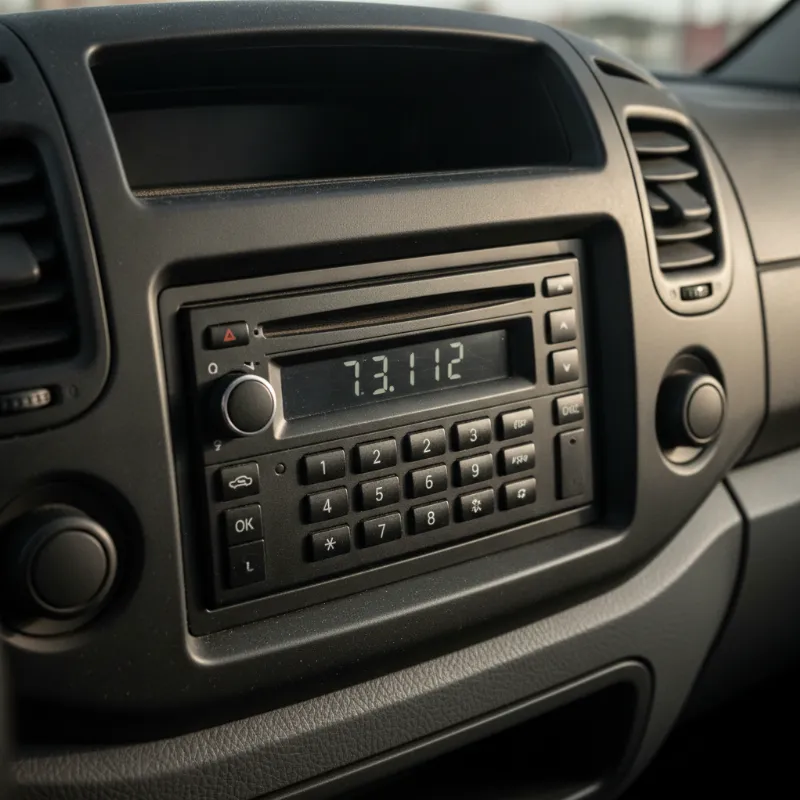
Why Your Nissan Primastar Radio Is Asking for a Code
If your Nissan Primastar stereo is showing "CODE" on the display instead of the usual radio station or media info, don't panic — it's not broken. This is a built-in security feature designed to make the head unit useless to thieves. The moment the radio loses power, whether that's from a flat battery, a battery change, a blown fuse, or work being done on the electrical system, the unit locks itself and demands a four-digit security code before it will play anything again.
This anti-theft function is standard across most Primastar vans built between 2001 and 2014, and it works the same way on the closely related Renault Trafic and Vauxhall Vivaro models of that era. The good news is that entering the code is straightforward once you know where to find it and which buttons to press. The bad news is that a lot of second-hand Primastar owners never received the code card when they bought the van, which is where a bit of detective work comes in.
Where to Find Your Nissan Primastar Radio Code
Before you can enter anything, you need to actually get hold of the four-digit code. There are three main places to look, and it's worth trying them in order because the first two are free and instant.
Check the Owner's Handbook and Service Book
Start with the paperwork that came with the van. When the Primastar was first sold, Nissan supplied a small credit-card-sized security card with the radio code printed on it. This was usually tucked inside the owner's handbook wallet, slipped into the service book, or kept in the glovebox document pouch. Have a proper rummage — it's easy to miss because it's often folded in with the warranty documents or the audio system booklet.
If you bought the van used, it's worth contacting the previous owner if you can. Many people simply forget to pass the card on. Also check the underside of any plastic flaps in the glovebox and the sun visor pocket, as some owners tucked the card there for safekeeping.
Find the Radio Serial Number (Removing the Head Unit)
If the code card is nowhere to be found, the next step is to get the radio's unique serial number, because the code is generated from that. On most Primastar head units the serial is printed on a sticker on the top or side of the unit itself, which means you'll need to remove the radio from the dashboard to read it.
Removal requires a set of DIN radio release keys — the flat U-shaped tools you slot into the four small holes on the corners of the fascia. Push them in until you feel a click, pull the unit gently forward, and disconnect the wiring loom and aerial at the back. The serial number will typically start with a letter followed by several digits (for example, something like T1234567 or similar). Write it down along with your vehicle registration and VIN.
If you're not confident pulling the dash apart, any auto electrician or car audio specialist can do it in a few minutes for a small fee.
Contacting a Nissan Dealer for the Code
With the serial number in hand, a franchised Nissan dealer can look up the original code for you. You'll usually need to prove you own the vehicle by showing your V5C logbook and photo ID, and there may be a small administrative charge for the lookup. Some dealers can do this over the phone; others will ask you to pop in.
There are also reputable online radio code services that can decode the serial for a fee if your local dealer isn't helpful. Just be wary of unusually cheap sites and stick to businesses with clear contact details and good reviews.
How to Enter the Radio Code on a Nissan Primastar (Step-by-Step)
Once you've got the four digits, the process of entering them is quick, but the button layout catches a lot of people out because the Primastar radio doesn't have a numeric keypad. Instead, you use the station preset buttons.
Using the Preset Buttons 1–4 to Input Digits
Turn the ignition on so the radio powers up and shows the "CODE" prompt. Each of the preset buttons — 1, 2, 3 and 4 — corresponds to one digit of your code, working left to right. Press preset button 1 repeatedly until the first digit of your code appears on the display. So if your first digit is a 5, you'll press button 1 five times.
Then move on to preset button 2 and press it until the second digit shows. Repeat with buttons 3 and 4 for the third and fourth digits. Take your time — if you press one too many times, you'll usually need to cycle all the way round again (0 comes after 9), or on some units you can hold the button to reset that digit back to zero.
Confirming the Code and Unlocking the Radio
Once all four digits on the display match your code exactly, press and hold preset button 5, 6, or the source/OK button depending on your specific head unit variant — most Primastar units use a long press on button 6 to confirm. The display will briefly flash, and if the code is correct, the radio will spring into life and start playing.
Enter your stations back in as presets, set the clock, and you're done. It's a good idea to write the code down somewhere safe now — inside the service book is traditional, but a photo on your phone works just as well.
What to Do If the Code Doesn't Work or You're Locked Out
Primastar radios are fairly forgiving, but they're not infinitely patient. You typically get three attempts to enter the correct code. After the third wrong try, the unit will lock itself for a set period — usually starting at around two hours — during which the display shows a countdown or a "WAIT" message. You must leave the ignition on for that entire waiting period without switching off, or the timer resets.
If you're locked out or your code simply isn't being accepted, double-check that you've read the digits correctly (a 1 and a 7 can look similar on a handwritten card, as can a 0 and an 8). Try again after the wait period. If it still fails, it's possible the code on the card belongs to a previously replaced radio, in which case you'll need to pull the unit and get a fresh code generated from the current serial number.
Repeated failed attempts over a long period can eventually lock some head units permanently, at which point only a dealer or specialist can reset them. If in doubt, stop guessing and get the correct code first.
Other Common Nissan Primastar Issues Owners Ask About
The radio code is one of those little quirks that catches out even long-term Primastar owners, but it's far from the only thing that comes up. Other common queries include the flashing immobiliser light after a battery disconnect (usually resolved by inserting the key and turning the ignition on for ten minutes), the notoriously fiddly sliding door central locking, and the injector fault codes that can appear on the 1.9 and 2.0 dCi engines.
The Primastar is a genuinely tough van and most of these niggles are well-documented with straightforward fixes. Keeping the service book up to date and holding on to any codes, keys and paperwork you receive will save a lot of headaches down the line — especially when it comes time to sell the van on.
Thinking of Upgrading? Browse Our Nissan Primastar Stock
If wrestling with an ageing radio has you thinking it might be time for a newer van with modern infotainment, Bluetooth, DAB and a touchscreen straight out of the factory, we regularly have quality used Nissan Primastar vans in stock alongside their successors. Newer models come with proper handover packs, so you'll never have to hunt for a code hidden in a glovebox again. Pop in for a look, give us a call, or drop by the forecourt to see what's currently available — we're always happy to talk vans, even if you just need a hand tracking down a radio code for the one you already own.
FAQs
How do I enter the radio code on a Nissan Primastar to unlock the stereo after a battery disconnect?
Turn the ignition on so the radio shows 'CODE'. Use preset buttons 1 to 4 to input each digit in order — press button 1 repeatedly until the first digit of your code appears, then button 2 for the second digit, and so on for buttons 3 and 4. Once all four digits match your code, press and hold preset button 6 (or the OK/source button on some variants) to confirm. The radio will unlock and start playing.
How many attempts do I get before the Primastar radio locks me out?
You typically get three attempts. After three incorrect codes the unit will lock for around two hours, during which you must leave the ignition switched on without interruption for the timer to count down. Turning the ignition off resets the wait period, so it's best to stop guessing and confirm the correct code before trying again.
Where is the radio serial number located on a Nissan Primastar?
The serial number is printed on a sticker on the top or side of the head unit itself. To read it you'll need to remove the radio from the dashboard using a set of DIN release keys, which slot into the four small holes on the fascia. Once the unit slides out you can note down the serial, which usually starts with a letter followed by several digits.
Can a Nissan dealer give me the radio code for free?
Most franchised Nissan dealers will look up the code for you, but they'll usually charge a small admin fee and will need to see your V5C logbook and photo ID to confirm you own the vehicle. Some independent auto electricians and online radio decoding services can also provide the code from the serial number, often for less than a dealer would charge.